Your first scan in 10 minutes
Quantery is a desktop app for testing your own investment ideas: you write rules, it screens the US market against them and backtests them on point-in-time data. The important word is your — every threshold, ratio, and gate in the app is something you can open and change. But the fastest way to understand a tool like that is to run something that already works and then bend it. That's this guide: install, activate, run one of the included screens, read the output, change one rule. Ten minutes, no spreadsheet, no code.
Step 1 — Install the app
Grab the build for your platform from the download page — macOS (.dmg), Windows installer, or Linux AppImage. It installs like any desktop app. Current builds are unsigned while code signing is completed, so macOS and Windows add one extra "are you sure" step on first open; the download page walks through the exact clicks. On Linux, chmod +x the AppImage first.
Everything Quantery does happens on your machine. There's no account to create and no cloud workspace — the app is the product.
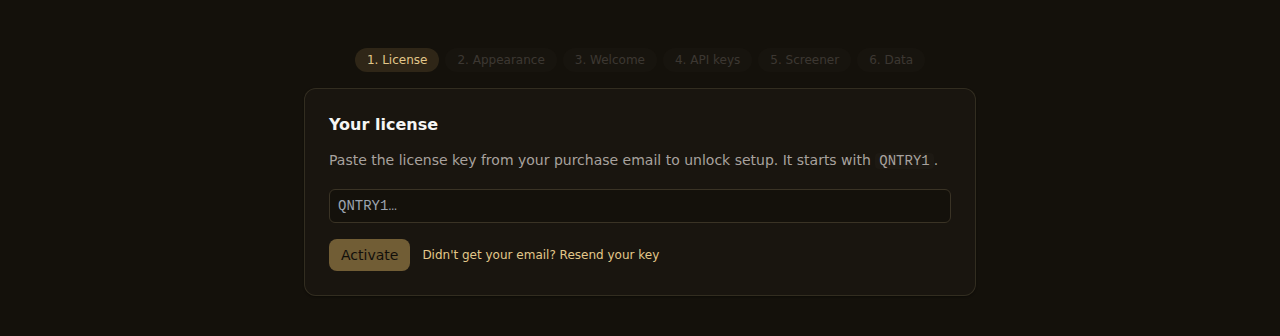
Step 2 — Paste your trial key
The trial is the full app for 14 days — every template, point-in-time scans, unlimited backtests — and it doesn't ask for a card. Request a key with your email on the site; it arrives in your inbox a moment later.
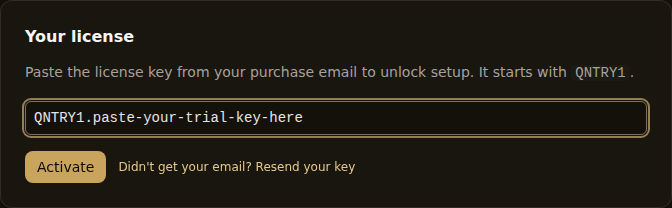
On first launch the app asks for the key — paste it and you're in. Already past that screen? Settings → License takes the same key.
One nice consequence of the local-first design: the app ships seeded with a starter dataset — point-in-time SEC fundamentals and the US equity universe — so you can run your first screens right away, before you've wired up any data provider. When you want fresh prices, you connect your own free-tier or paid keys later; nothing in this guide needs that yet.
Step 3 — Open a starting point
You could write a screen from scratch on day one, but you shouldn't have to. Quantery includes five classic value screens as editable templates — proven starting points, not black boxes: Piotroski F-Score, Greenblatt Magic Formula, Graham Net-Net, Buffett Quality Value, and Earnings Yield + Quality. Each one is a readable spec you can open, inspect, and change.
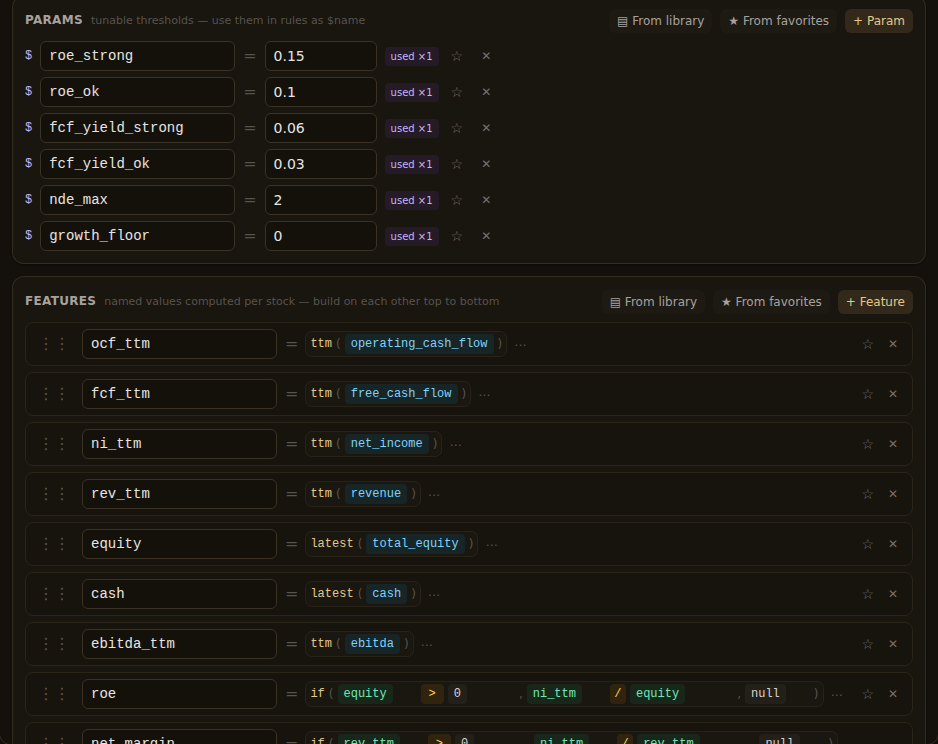
For this walkthrough, open the Buffett Quality Value template. It's the easiest to reason about: high return on equity, real free cash flow, conservative debt, at a sensible price. In the visual builder you'll see the whole thesis laid out — the universe it screens (exchanges, a market-cap floor, excluded sectors), the features it computes from raw fundamentals, and a short list of named parameters like roe_strong = 0.15. Those parameters are the thresholds. Remember where they live; we're coming back.
Step 4 — Run the scan
With the template open, run it. Quantery evaluates every eligible name in the US equity universe against the thesis: applies the universe filters, computes each feature from point-in-time fundamentals, scores the criteria, applies the gate, and assigns a verdict.
One thing worth knowing before you click: the app runs data pulls, scans, and backtests one at a time to keep its local database consistent. If a data download is in flight, your scan queues instead of failing — a banner at the top shows what's running and your place in line, with a Run next button if you'd rather jump the queue and a Notify when done toggle if you'd rather walk away.

Step 5 — Read the survivors table
The output is a ranked table of survivors — the names that passed your gate, ordered by score. Each row shows the composite score and a verdict band: STRONG, WATCH, or PASS. The bands aren't editorial; they're thresholds defined in the thesis you just ran, and you can move them.
Here's the part that matters more than any single result: every criterion shows its number and its source. Click into a survivor and you get the full workup — the scorecard with each criterion's score, the actual values behind them (the ROE, the free-cash-flow yield, the leverage ratio), and charts of each thesis metric built from the point-in-time filing history. If a company scored 2 on quality, you can see the return on equity that earned it and the filings the inputs came from. There is no "our proprietary rating" layer between you and the data.
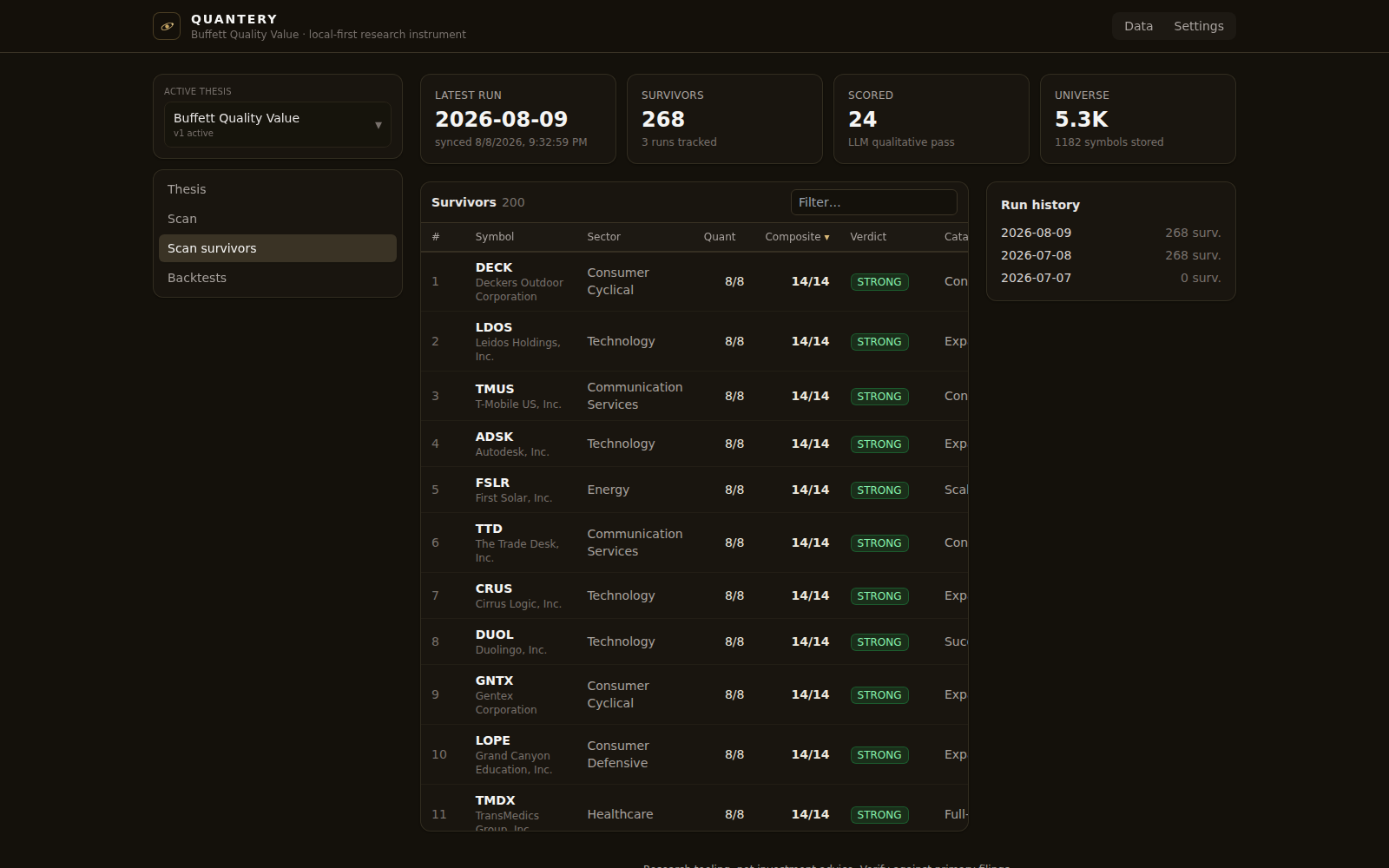
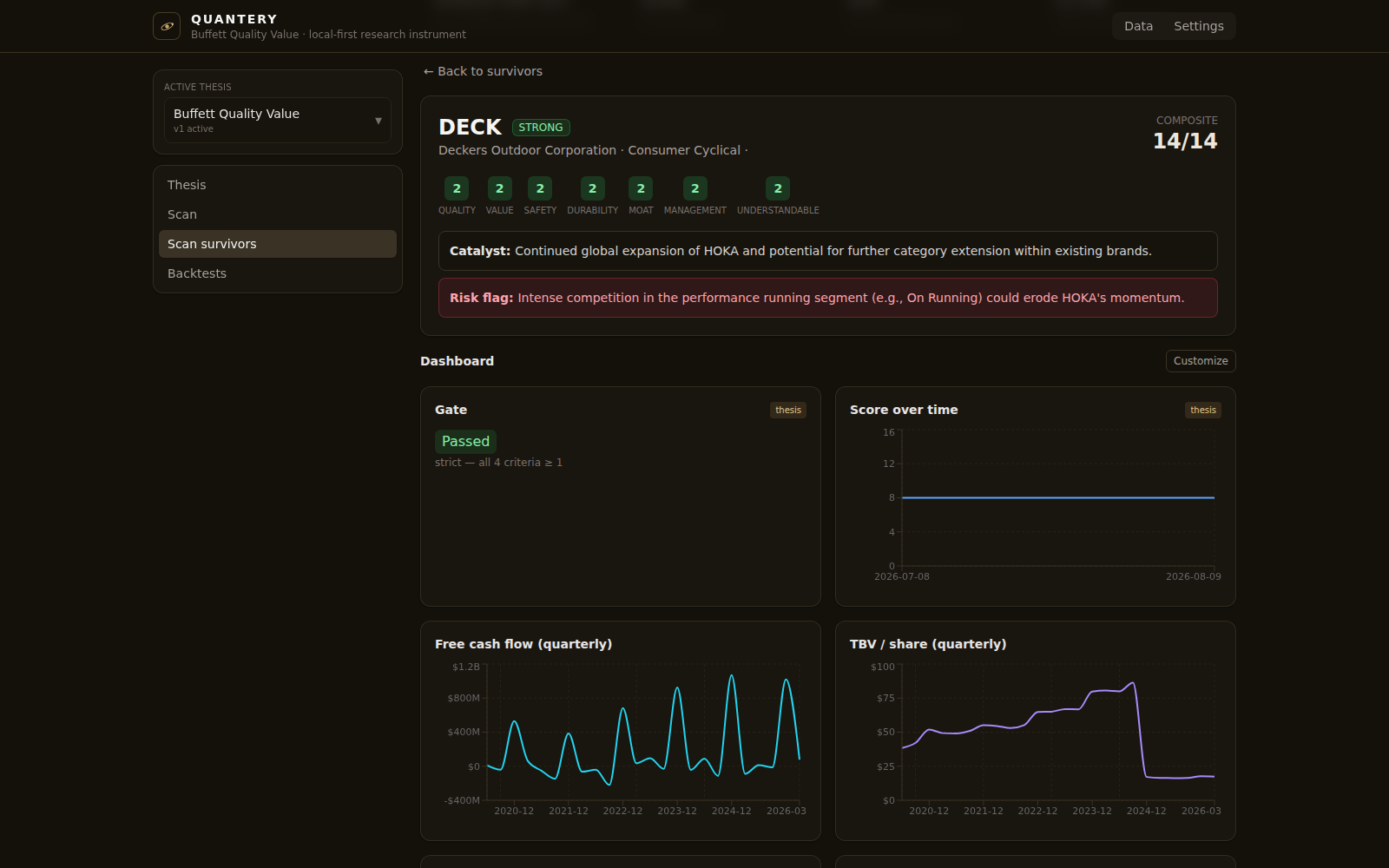
That auditability is the habit worth building in your first ten minutes. When a screen surprises you — a name you love scoring PASS, a name you've never heard of scoring STRONG — the answer is always one click deep, in the numbers, not in a methodology PDF.
Step 6 — Change one rule
Now the actual point of the product. The template you just ran isn't a feature you consume; it's a starting position. Save your own copy of the thesis and change exactly one thing.
An easy first edit: the template counts ROE of 15% or better as strong (roe_strong = 0.15). Suppose you think that bar is too forgiving — raise it to 0.20 and re-run. The survivor list tightens, and you can see precisely which names dropped and why: their scorecards now show a 1 where a 2 used to be. Or loosen the free-cash-flow-yield bands and watch the value criterion admit more names. One number, one re-run, one visible consequence.
Two details that make this safe to do carelessly. First, scans are unlimited — there's no metering, so re-running after every tweak costs nothing but a moment. Second, saving a thesis creates an immutable version, and every scan records which version produced it. You can bend your copy all week and still reproduce today's results exactly.
When one parameter isn't enough, the same editor takes you further: swap a feature for one you define yourself from the raw fundamentals, add a criterion, tighten the gate. The five templates and your wildest custom screen run through the same engine — nothing about the included screens is privileged.
Where to go from here
You've now done the full loop: rules in, ranked and auditable survivors out, rule changed, loop again. Two good next steps:
- How to build a thesis worth testing — turning a hunch of your own into measurable criteria, instead of editing someone else's.
- What makes a backtest honest — before you trust any screen (including the included ones), understand what a backtest can and can't tell you.
The templates are the on-ramp. The product is the part where the rules are yours.
Research tooling, not investment advice. Nothing here is a recommendation to buy, sell, or hold any security. Screens, scores, and backtests are informational only; backtested results are hypothetical, exclude costs such as commissions and slippage, and do not guarantee future results. Verify against primary filings and make your own decisions.
Want to try this on your own rules? Quantery is free for 14 days: the full app, no card required.
← All articles